AccuWeather Review: Radar and Forecasts for Better Decisions
 Analysis by Appyee
A forecast is only useful if it changes what you do before the weather changes first. That is the practical test I apply to AccuWeather: Weather Radar: can I check it quickly, understand what is coming, and get on with my day? It does well because it puts the near-term picture, the broader forecast, and a useful radar view within easy reach. The result is less second-guessing before a commute, walk, or afternoon errand—not a promise that every cloud will behave exactly as predicted.
The app’s strongest case is everyday uncertainty. A generic “rain later” alert does not tell you whether to leave now, take a coat, or move a plan by half an hour. AccuWeather gives you several angles on that question, including hourly conditions and radar imagery, so you can judge the timing for yourself. It is not a substitute for local judgment, but it makes that judgment faster and better informed.
A forecast built around decisions
Opening AccuWeather: Weather Radar brings the current conditions and forecast into a familiar, scannable layout. You can get the headline—temperature, conditions, and what is expected next—without having to dig through a long report. From there, the hourly forecast is the part I would check before committing to a specific time outdoors. It helps distinguish a wet morning from a shower that may arrive after lunch, which is often all the detail a plan needs.
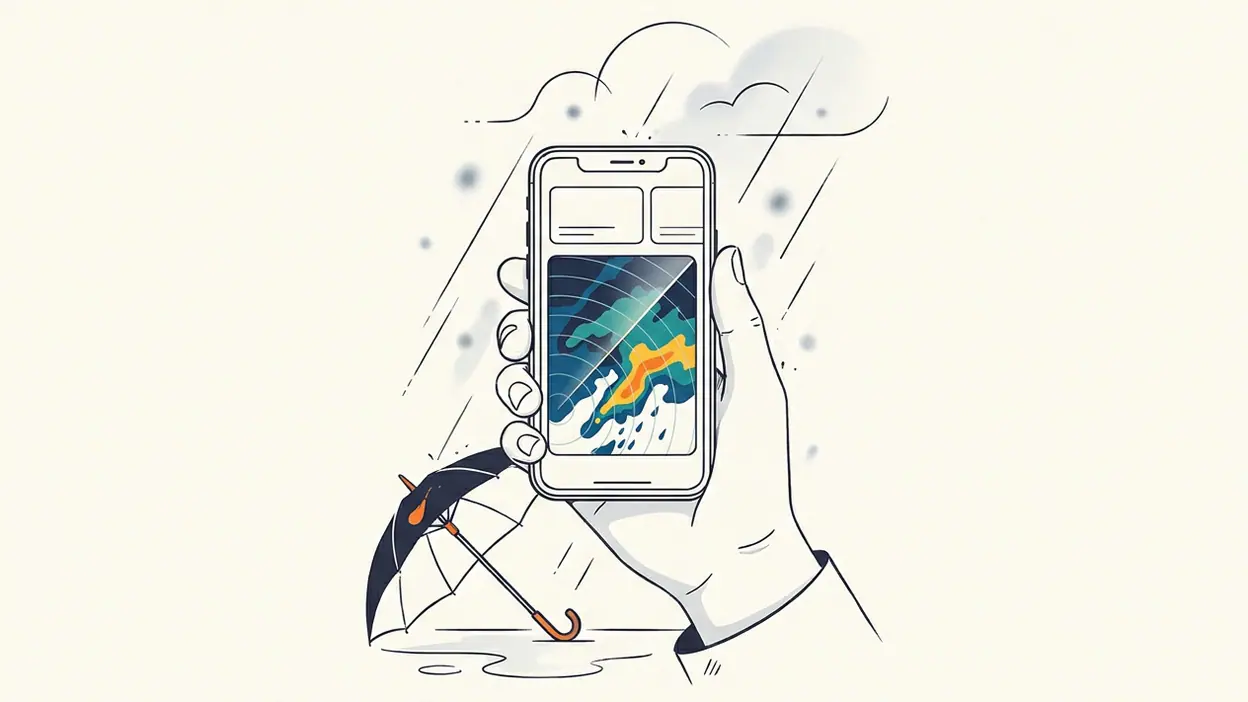
The radar adds a different kind of confidence. A forecast describes what may happen over time; the map helps you see precipitation moving around your area. That visual context is valuable when a shower is close enough to affect a short trip but not necessarily the whole day. Instead of treating the daily icon as a verdict, you can look at the local pattern and decide whether to bring rain gear or wait a little.
This layered approach is what makes the app feel clean in use. You do not need to choose between a simple summary and more detail: the summary handles routine checks, while the radar and forecast views are there when timing matters. Compared with a lightweight weather widget, AccuWeather asks for a little more attention but gives you more to work with. Compared with radar-first alternatives such as Clime, its appeal is the balance between an everyday forecast and a map you can consult when the sky looks uncertain.
What makes it worth keeping
A weather app becomes indispensable through repetition, not spectacle. AccuWeather is easy to fold into the small decisions that happen every day: checking before getting dressed, glancing at the forecast before a school run, or seeing whether a walk can fit between showers. Its value is cumulative. A few seconds spent checking can spare you a damp commute, an unnecessary layer, or a trip delayed because the weather looked worse than it was.
The most useful information is not always the most dramatic. Current conditions help you understand what is happening now; hourly details help you plan the next several hours; the wider forecast gives you enough notice to adjust tomorrow’s arrangements. Radar bridges the gap between those views. When clouds are gathering, it gives you a reason to look again rather than relying on a forecast you read several hours earlier.
That makes the app particularly useful for people whose plans involve movement. If you walk, cycle, drive, or take public transport, a change in rain timing can affect when you leave and what you carry. Someone working outdoors has an even clearer reason to watch the local picture. AccuWeather cannot remove weather risk, and a radar image should not be treated as an exact guarantee for a particular street, but it can help you make a sensible call with less fuss.
Where it saves time and friction
The time saving comes from answering the practical question without making you assemble the answer from several sources. For a quick check, the current conditions and concise forecast are enough. If rain is nearby, you can move straight to radar rather than opening another service or searching for a regional report. That one-app path is useful when you are already at the door, deciding whether to go now or take a few minutes to wait.
It also removes a familiar bit of planning friction: uncertainty about what to pack. A forecast with a useful hour-by-hour view can help you decide whether an umbrella belongs in your bag all day or only for the trip home. Temperature and conditions together are more useful than either alone when you are choosing layers. These are small choices, but a weather app earns its place by making them less mentally expensive.
There is a trade-off, though. AccuWeather contains more than the bare minimum, and users who want only a temperature on the home screen may find a simpler option, including a built-in service such as Weather by Xiaomi, quicker to glance at. AccuWeather is at its best when you value the ability to move from a glance to a more informed check. Its additional detail is helpful when you use it; it is extra visual and informational weight when you do not.
Make the setup work for you
For a low-friction setup, allow location access only at the level you are comfortable with, then confirm that the app is showing the place you actually care about. A saved home location is handy if you travel between neighborhoods or want to check conditions at work before heading out. Keep notifications selective. Weather alerts can be valuable when they flag conditions that might change a plan, but frequent reminders about routine changes quickly become another source of noise.
It is also worth spending a minute learning where the hourly forecast and radar sit in the app. That small bit of orientation pays off when you are in a hurry. Use the daily forecast for broad planning, the hourly view for a specific outing, and radar when precipitation is close or the local sky disagrees with the headline forecast. This is a better habit than repeatedly refreshing every screen: check the level of detail that matches the decision you need to make.
Forecast precision naturally varies with location, weather patterns, and how far ahead you look. Treat short-range information as a helpful guide, not a promise, and use the radar as context rather than proof that a particular block will stay dry. AccuWeather is most trustworthy as a decision aid that improves your odds, not as a guarantee that eliminates surprises.
Who should install it first
AccuWeather is an easy recommendation for people who make frequent plans around the weather and want more than a basic temperature reading. Commuters, parents arranging pickups, dog walkers, weekend gardeners, and anyone who spends part of the day outside can all get practical use from its layered forecast. It is especially worthwhile if you regularly wonder whether rain is imminent or merely somewhere in the day’s outlook.
If you prefer a minimal interface and rarely check anything beyond the current temperature, a simpler weather app may suit you better. Weather Live° and other forecast-focused services can make a different case through presentation or widgets, while dedicated radar apps put more emphasis on maps. AccuWeather’s strength is its middle ground: everyday conditions are immediately available, and more detail is close by when the situation calls for it.
One area that could improve is the sense of visual priority. With forecasts, maps, alerts, and other information competing for attention, the app can feel busier than a one-screen utility. A clearer path from “what is happening now?” to “will it affect my next hour?” would make hurried checks even faster. The amount of information is not the problem by itself; the opportunity is to make the most decision-ready information unmistakable.
Even with that caveat, AccuWeather: Weather Radar makes a strong everyday tool because it respects what people actually need from a forecast: enough context to act, delivered quickly enough to matter. It will not make the weather predictable, and it cannot guarantee perfect timing, but it can replace vague guessing with a more useful check of conditions, hours, and radar. If rain, temperature, or changing skies routinely shape your plans, install it and set it up around the places and alerts that matter to you. That is where AccuWeather earns its space on your phone.


