Private Photo Vault Turns Photo Privacy Into a Habit
 Analysis by Appyee
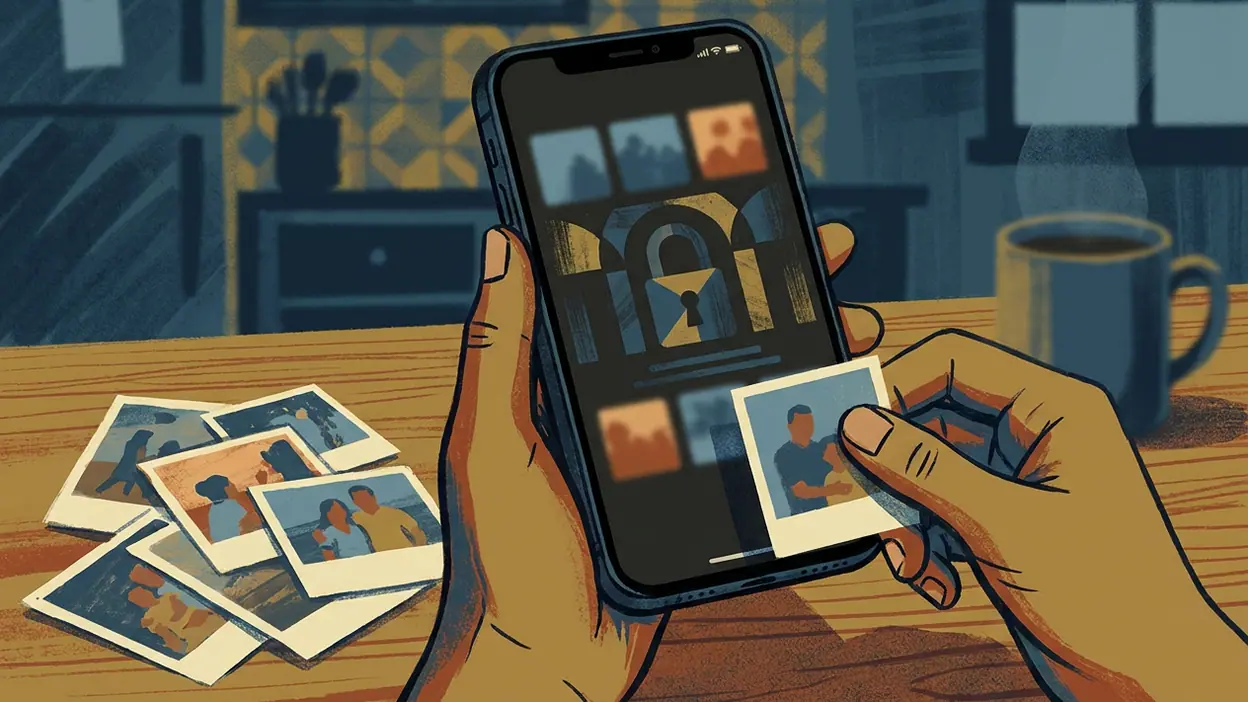
Photo privacy is an oddly recurring problem: you hand someone your phone to show them one picture, then remember that the camera roll contains dozens of others they were never meant to see. Private Photo Vault wins by making that small moment of panic feel manageable. Its appeal is not that it transforms photography; it is that it gives people a separate place for images they do not want casually exposed. That narrow promise, repeated often enough, becomes a habit—and the app’s real strength is how little ceremony it puts between worry and relief.
Why the simple promise got so big
A photo library is both personal archive and social interface. It holds travel pictures, screenshots, documents, intimate images, and the stray frame you would rather not explain. Most phone galleries are designed to make browsing effortless, not to help users divide private from shareable. A dedicated vault answers that gap with a plain mental model: move selected photos out of the everyday stream and put a barrier in front of them.
That clarity matters more than a long feature list. People do not need to understand encryption standards or file-management systems to understand “keep this out of my regular gallery.” They need to trust that the app will be available when they want it and that opening it will not itself draw attention. The use case is immediate, personal, and easy to explain to a friend. It also surfaces at exactly the right moment: after a phone handoff, a shared-device scare, or the realization that a camera roll has become too revealing.
Private Photo Vault benefits from being a utility rather than a creative destination. Photo editors compete for attention with dramatic results: PhotoBoost - AI Photo Enhancer promises stronger images, while Photoshop Express Photo Editor and B612 AI Photo&Video Editor invite users to make and remake them. A vault works on the opposite side of the photo’s life. It does not ask what the image could become; it asks who should be able to see it. That is a less glamorous pitch, but a durable one.
What it does better than rivals
The best vault experience is not an elaborate one. It is a short chain: open the app, get through its access gate, find the image, and put it away. Private Photo Vault is built around that practical sequence. Its focused purpose is an advantage over a general photo editor, where privacy is not the organizing principle and private storage can feel like an afterthought. Nor does it try to turn a basic safeguard into a social network or a gallery of recommendations.
That focus also gives the app a clear emotional benefit. A user can make a deliberate boundary between the photos they show and the ones they keep to themselves. The boundary is imperfect—no app can prevent every form of exposure, and a passcode is not a substitute for careful device security—but it is concrete. For people who share their phone with family, colleagues, or a partner, even a small reduction in accidental discovery can feel valuable.
The app’s category also rewards low friction. If moving a picture into storage takes too many steps, users will leave it in the camera roll and tell themselves they will sort it later. If retrieval is confusing, they will stop trusting the vault. The product’s strongest competitive claim is therefore not that it can out-edit a full photo suite. It is that it keeps the job of private storage legible, separate, and easy to return to.
Where the design gets sticky
Vaults turn privacy into a repeated act of sorting. A user saves a picture, feels safer, and learns to repeat the action the next time something seems too personal for the main gallery. This is a quiet loop, not a compulsive one: the app does not need an endless feed because the user supplies the reason to come back. Every new private image renews the value of having a protected place for the others.
There is a second loop in retrieval. People do not merely hide images; they later need to find them. The vault earns trust when it feels like a usable archive rather than a trapdoor. A stored image may be needed for a form, a conversation, or simply a private look back. That makes organization and dependable access more important than decorative polish. A vault that makes private photos hard to locate undermines its own promise.
The habit is reinforced by anticipation. Before handing over a phone, a user may want to check that sensitive pictures are elsewhere. Before sharing a screen, they may remember to close the vault. The app becomes part of a small personal security ritual. This is stickiness built from anxiety, but not necessarily a bad kind: the routine can reduce a real source of friction, provided the app does not exaggerate what it protects.
What users forgive—and what they should not
Users are likely to forgive a vault for being less beautiful than a photo editor. Its job is discretion, so a restrained interface is appropriate. They may also accept a few extra steps at the entrance because those steps are the point. A locked door that never asks for permission would be a strange promise. In this category, a little friction can reassure—until it makes everyday access tedious.
What they should not have to forgive is uncertainty. A privacy app must explain what it stores, how access works, and what happens if a user changes devices or loses access. Those questions are not minor settings issues; they define whether the product deserves sensitive material. Users should also check the current app’s privacy disclosures, account and backup options, and platform permissions rather than assume that the word “vault” means every copy of an image has vanished from every other place.
Another likely compromise is that a vault cannot erase the context around a photo. Thumbnails, shared copies, cloud libraries, messaging attachments, or a device’s own backup behavior may leave other versions elsewhere. The app can help organize and restrict access inside its own space, but users should not mistake that for a universal privacy shield. The more confidently a product suggests total invisibility, the more carefully its claims deserve scrutiny.
Where the cracks show
The category’s central weakness is the gap between perceived privacy and actual control. A passcode can stop a casual browser, but it cannot make a compromised account safe or protect an image already sent to someone else. The app’s value depends on users understanding that distinction. A polished lock screen can create comfort; it cannot replace good device hygiene, strong account security, or thoughtful sharing habits.
There is also a maintenance burden that rarely appears in the first session. Users need to remember what they moved, keep the app available, and understand how their content behaves if they reinstall or replace a phone. Forgetfulness is especially costly in a storage tool: an image that is safely hidden but impossible to recover is not a satisfying success. A dependable vault must feel boring in the best sense, with clear recovery expectations and no surprises.
And a focused product can feel narrow once the initial need is met. People who want to clean up, edit, share, and back up their photos may prefer a broader photo workflow. Cut and Paste Photos, for example, serves a different creative impulse; it is not a substitute for private storage. The contrast shows why a vault can be genuinely useful without becoming the only photo app a person needs.
Who benefits most
Private Photo Vault makes the most sense for people who regularly lend their phone, keep personal and public images together, or want a deliberate boundary around a small set of pictures. It may also suit anyone who dislikes the exposure of an unfiltered camera roll during casual browsing. The benefit is less compelling for someone who already separates content effectively through their device’s built-in privacy tools, or who rarely stores anything they consider sensitive.
For a first-time user, the most sensible test is not to move an entire library at once. Start with a few images, learn how the app handles access and recovery, and confirm that the originals and backups behave as expected. That small trial reveals whether the workflow fits daily life. Privacy tools are only useful when people can operate them correctly without turning every photo into a chore.
Why competitors stay behind
Photo editors are not necessarily trying to beat Private Photo Vault at its own task. Their incentives point elsewhere: improve an image, add a filter, cut out a subject, or make a clip ready to share. A vault’s advantage comes from refusing that broader ambition. It can concentrate on one moment of doubt and make the answer easy to remember.
That focus is also a limit. A large creative app can absorb storage, editing, and sharing into a wider routine, while a dedicated vault asks users to maintain a second destination. The app must earn that extra stop through trust and simplicity. If its access flow feels unreliable, or its privacy story seems vague, users can retreat to built-in folders or simply stop sorting their photos. Competitors do not need to copy every feature; they only need to make the separate-vault habit feel less necessary.
Will the dominance last?
The underlying need is unlikely to disappear. Phones remain intensely personal, and people will keep showing each other selected photos while wanting other parts of their libraries left alone. That gives dedicated vaults a lasting reason to exist. But no single app owns the habit forever. Operating-system privacy features can become more capable, and users’ expectations around backups, biometrics, and data handling will keep rising.
The habit lasts only as long as the trust does. Private Photo Vault can keep its place by making the everyday task dependable while being candid about what it cannot guarantee. Its strongest moat is not a complicated feature that rivals cannot reproduce; it is the familiar routine users have built around it. That routine is valuable, but it is also fragile. One confusing recovery experience or a privacy claim that feels overstated can undo years of quiet reliance.
The final judgment
Private Photo Vault succeeds because it understands that private-photo storage is less about photography than about control over a moment of exposure. It gives users a separate place, a clear action, and a repeatable ritual. That is enough to make a modest utility feel important in ordinary life. Its restraint is part of the appeal, and its focused purpose keeps it distinct from editors that chase creative transformation.
Still, this is a practical boundary, not an invisibility cloak. Users should treat the app as one layer in a broader approach to phone privacy, check how their data is handled, and keep recovery in mind before placing irreplaceable images inside. With those limits understood, the app earns its repeat opens honestly. It does not make a camera roll more exciting; it makes it easier to decide what stays out of sight. That is a small promise, but for the people who need it, a useful one.