Why KineMaster Is Raising the Bar for Mobile Video Editing
 Analysis by Appyee
Mobile video editing has crossed an awkward threshold: people still want one-tap results, but they no longer accept one-tap limitations. A serious phone editor now has to serve the person trimming a holiday clip, the creator building a vertical series, and the small business owner producing a polished advert between appointments. KineMaster - Video Editor is a useful lens for that shift because it treats the phone less like a pocket camera with a few effects and more like a compact editing desk.
That does not make KineMaster perfect, or even the best choice for every project. Its interface can feel crowded, its free experience is shaped by commercial restrictions, and the depth that attracts experienced users can intimidate beginners. But those tensions are exactly what define the category now. Mobile editing is no longer competing only on convenience. It is negotiating a new balance between speed, control, discoverability, and the expectation that a finished video should look intentional.
The mobile editor is becoming a production tool
The old baseline for a video editor was simple: import a clip, cut the beginning and end, add music, save. That workflow still matters, but it is no longer enough to explain why people install an editor. Short-form video has made timing more demanding, social platforms have made aspect ratios more varied, and creators have learned that a clean result often depends on small decisions about layers, sound, captions, and motion.
Users now expect an editor to understand the realities of mobile publishing. They want vertical, square, and landscape projects without wrestling with a desktop-style setup. They expect media to be easy to browse, previews to respond quickly, and exports to match the destination. They also expect a library of transitions, music, stickers, fonts, and effects, even if they never use most of it. The app has to be approachable at first touch while leaving room for deliberate work later.
That combination creates a difficult product problem. A basic editor can feel friendly but run out of road after a few projects. A powerful editor can reproduce the clutter and friction people were trying to escape by leaving desktop software behind. The category is advancing through apps that hide complexity until it becomes useful, rather than pretending complexity does not exist.
KineMaster makes a strong case for the second approach. Its timeline, layer controls, keyframe animation, chroma key tools, audio controls, and compositing options give it a more serious center of gravity than a template-only editor. The app wants users to make choices, not merely select a mood and wait for an algorithm to assemble a result.
That distinction matters because automated editing is excellent at producing a plausible first draft. It is less reliable at understanding why a cut should land half a beat earlier, why a reaction shot needs breathing room, or why a title should remain on screen long enough to be read without slowing the sequence. KineMaster's value appears in that gap between a plausible draft and a video that feels authored.
What KineMaster gets right about control
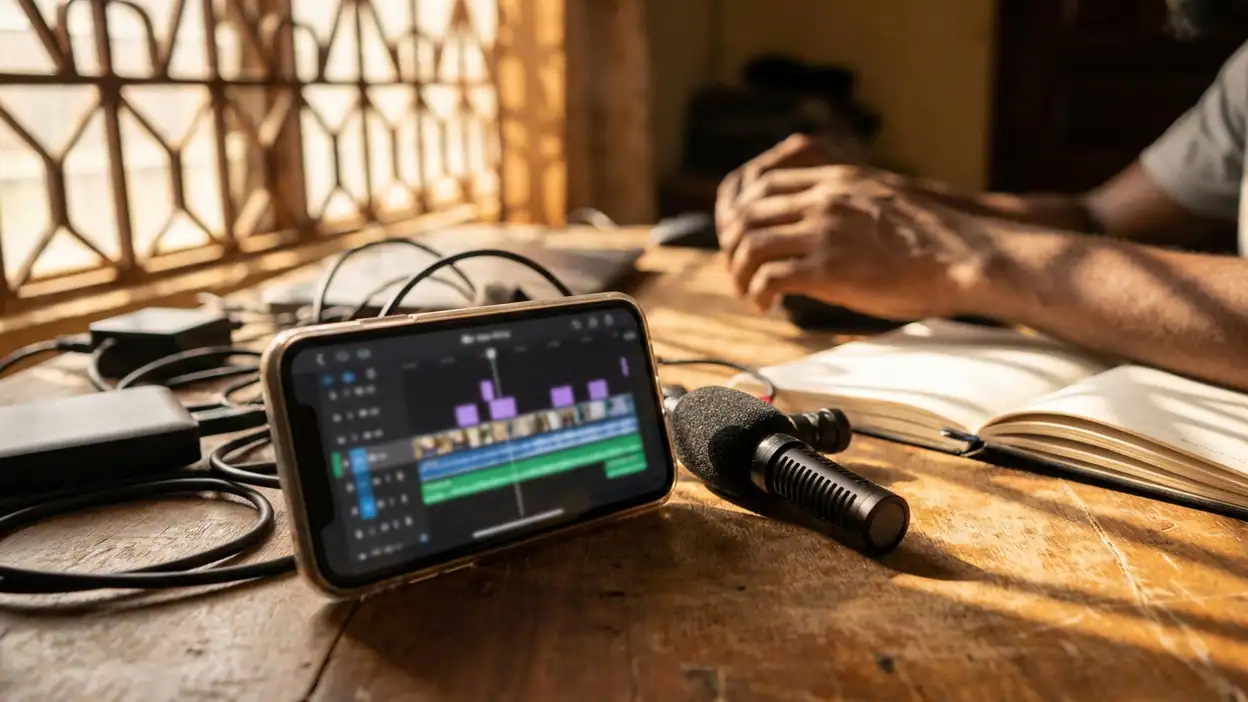
The strongest signal in KineMaster is its layered timeline. On a phone screen, layers are not a cosmetic feature. They are the foundation for editing anything more ambitious than a sequence of trimmed clips. A voiceover can sit beneath music, a title can move independently of the footage, an image can appear over a video, and a cutout subject can be composited into a different visual context.
Working this way takes more attention than applying a template, but it also makes the result legible. When I move a layer, adjust its timing, or keyframe a property, the relationship between the decision and the result is clear. That directness is important on mobile, where small controls can otherwise make editing feel like guesswork. KineMaster is at its best when it lets the timeline behave like a compact, tactile workspace rather than a menu of disconnected effects.
The app's strength is not simply that it contains advanced tools. Plenty of mobile editors advertise a long feature list. The more meaningful achievement is that KineMaster connects those tools to a recognizable editing grammar: place media, shape timing, build hierarchy, refine movement, then balance sound. That sequence feels closer to actual post-production than to decorating a clip.
Its support for keyframe animation is a good example. A preset motion effect can make a title move, but keyframes let the editor decide how that movement starts, accelerates, pauses, and ends. That control is valuable for explainers, product demonstrations, travel videos, and social posts where visual emphasis needs to follow the spoken idea. It also exposes the difference between motion that merely exists and motion that communicates.
Chroma key and blending tools push the same argument further. They are not essential for a casual montage, but they expand what a phone editor can reasonably attempt. A creator can build a presenter-led tutorial, layer screen recordings over footage, or create a stylized transition without exporting to another application. The result may not replace a full desktop suite, but the boundary has moved.
Audio is another revealing test. Mobile editors often treat sound as a soundtrack picker attached to a visual tool. KineMaster gives audio a more practical role through trimming, volume adjustment, voiceover work, and layered control. It still cannot make poor recording suddenly professional, but it recognizes that a video with uneven speech and overpowering music feels unfinished no matter how attractive the visuals are.
The emerging standard is not maximum power; it is visible control at the moment control matters. KineMaster understands that principle better than many of its lighter competitors, although its interface does not always explain itself as quickly as it should.
The conventions KineMaster follows
KineMaster is not trying to reject the familiar language of mobile editing. It uses the conventions users now expect: a prominent preview, a timeline beneath it, media import from the device, project-based editing, downloadable assets, and export settings aimed at social sharing. Those conventions are sensible because they reduce the learning cost for anyone arriving from another editor.
It also follows the category's freemium pattern. The free tier gives users enough room to understand the workflow, but premium assets and branding restrictions shape the experience. That model is common across mobile creative software because rendering, storage, asset licensing, and ongoing development are expensive. It is also the point where user trust can weaken. People are willing to pay for serious tools; they are less patient with discovering limitations only after investing time in a project.
The asset ecosystem follows another established convention. Templates, effects, transitions, fonts, and music make the first result arrive faster. They are useful for learning and for routine content, especially when a creator needs to publish frequently. But asset abundance can flatten visual identity. If everyone reaches for the same transition pack and the same animated title, the editor becomes a machine for producing competent sameness.
KineMaster's more manual approach gives it some protection from that problem. It does not force every project into a preset rhythm. Yet it still participates in the broader market's expectation that an editor should provide ready-made ingredients. The challenge is to make those ingredients starting points rather than substitutes for judgment.
The convention KineMaster challenges
The convention KineMaster challenges is the idea that mobile editing should be simplified until meaningful control disappears. Many apps correctly identify a need for speed, then interpret speed as fewer decisions. That works for a quick social post, but it leaves a large group of users stranded between beginner tools and desktop software.
KineMaster says a phone can support a deeper workflow without becoming a miniature workstation in every respect. Its timeline and layer model ask more from the user, but they also make more kinds of video possible. The app treats mobile editing as a craft that can be learned, not merely a service that can be consumed.
This is a subtle challenge rather than a dramatic one. KineMaster still cares about fast importing, templates, effects, and immediate playback. It does not ask every user to become an editor. Instead, it keeps a path open for the person who starts with a montage and later wants to animate a logo, clean up a voiceover, or build a multi-layer tutorial. That progression is one of the category's most important signs of maturity.
The cost is cognitive load. On a small screen, advanced controls compete for attention with the footage itself. A newcomer may understand the goal but not know which panel, gesture, or timeline action gets there. KineMaster's power is real, but power does not automatically become usability. The next phase of the category will be judged by how well apps reveal advanced options without covering the basic path in machinery.
What the surrounding market reveals
CapCut - Video Editor sharpens the contrast. Its appeal comes from fast templates, trend-aware effects, automatic captions, beat-oriented editing, and a workflow designed around the habits of short-form platforms. It understands that many users begin with a sound, a format, or a reference style rather than a blank timeline. That is a powerful form of guidance, especially for creators who value publishing speed over granular construction.
But CapCut also shows where the category can become dependent on cultural timing. A template can make a creator feel current, yet its usefulness may decay as soon as the trend does. KineMaster's less prescriptive timeline is slower to teach but more durable across subjects and formats. One app is particularly good at catching a wave; the other is better suited to building a repeatable editing practice.
Google TV represents a different neighboring expectation. It is not an editing rival, but it reflects how video users have become accustomed to recommendation systems, centralized libraries, and frictionless discovery. People now expect software to help them find the next useful asset, tutorial, sound, or piece of inspiration. For an editor, that means a blank project can no longer be the whole experience. Guidance and discovery increasingly belong inside the tool.
MX Player and PLAYit-All in One Video Player highlight the playback side of the same ecosystem. Viewers expect broad format support, responsive controls, and reliable handling of local media. Editors inherit that expectation. A project should preview smoothly, audio should remain synchronized, and imported files should not feel like hostile foreign objects. The line between managing video and making video is becoming less rigid.
Kwai - Cool Video & Social Fun adds the social pressure. Its model treats video as content, identity, and participation at once. Editing is not isolated from publishing, feedback, and discovery. KineMaster does not need to become a social network, but its users increasingly judge it by how quickly a finished project can enter the places where audiences actually watch.
Together, these products point to a market split that is not really a split. Users want the speed of a social template, the control of a timeline, the discovery of a content platform, and the reliability of a dedicated player. No single app handles every expectation perfectly, but the pressure is clear: mobile video software is being evaluated as part of a chain from capture to edit to distribution.
Where the category is heading
The emerging standard will combine structured control with intelligent assistance. Automatic captions, silence removal, subject isolation, beat detection, and reframing are already moving from novelty to expectation. The winning versions will not simply make decisions on the user's behalf. They will make their decisions inspectable and easy to revise.
KineMaster is well positioned for that future because its underlying model already values layers and explicit adjustments. An intelligent suggestion can place a cut, generate captions, or propose a sound mix, while the user retains the ability to inspect the result on the timeline. That is a healthier direction than an opaque one-click export because it preserves authorship without demanding that every task be performed manually.
Another emerging standard is format awareness. A video may need to exist in several shapes: a vertical cut for short-form feeds, a square version for a profile, a landscape version for a longer platform, and perhaps a clean master without platform-specific text. Editors will increasingly need to protect the subject, captions, and visual hierarchy across those versions. A crop tool alone is not enough; the app has to help the creator think in variants.
Collaboration and continuity will matter too. Mobile editing often begins on one device and finishes on another, or moves between a creator and a client. Project backup, asset relinking, cloud access, and predictable versioning are less glamorous than effects, but they determine whether an app can support real work. KineMaster's core editing experience is persuasive; the broader category still has room to make project management feel less fragile.
There is also a growing demand for restraint. More effects do not necessarily mean more expressive power. Users need better ways to search, preview, compare, and organize assets, along with recommendations that understand the purpose of a video rather than simply displaying whatever is popular. A mature editor should help a creator remove distractions as confidently as it helps add them.
Where mobile editors still lag
The first weakness is onboarding. Editors often present a clean first screen and then expose a dense interior. That leap is especially hard for people who understand what they want visually but do not know the vocabulary of editing. KineMaster could do more to teach through small contextual explanations, reversible guided actions, and examples that demonstrate why a tool matters.
The second weakness is performance consistency. Mobile hardware has improved dramatically, but high-resolution footage, multiple layers, effects, and long timelines still test phones. Preview quality may change, scrubbing can become less responsive, and export times can feel unpredictable. Users do not need every edit to be instantaneous, but they do need honest feedback about what the device is processing.
The third weakness is pricing clarity. Subscription models can fund serious development, yet the value proposition must be visible before a creator builds a project around features they cannot export cleanly. KineMaster's premium positioning makes sense for users who rely on it, but the category would benefit from clearer boundaries and fewer surprises at the final step.
Accessibility also needs more attention. Small handles, dense timelines, low-contrast controls, and gesture-heavy interactions can exclude users who could otherwise make excellent videos. Captions and audio tools are often discussed as creator features, but they are also accessibility features for audiences. A mobile editor should treat readable text, adjustable interface scale, and clear audio workflows as core design responsibilities.
Finally, asset licensing and privacy deserve plain language. Creators need to know what can be used commercially, what happens to uploaded media, and whether cloud processing is involved. As editing apps add more artificial intelligence, those questions will become impossible to hide behind a polished interface.
What this means for users
For casual users, the category's expansion is mostly good news. A phone can now produce a video with clean pacing, readable captions, layered sound, and deliberate motion without requiring a laptop. KineMaster gives those users a route from simple trimming to more ambitious work, provided they are willing to spend time learning its logic.
For regular creators, the choice is less about finding one universally superior app and more about matching the tool to the job. CapCut may be faster for trend-led posts. A dedicated player may be better for checking source files. A social platform may be the quickest route from recording to audience. KineMaster earns its place when the creator needs to shape the material rather than merely package it.
That distinction changes how users should judge mobile editors. The question is not only how many effects an app includes or how quickly it produces a first draft. Ask whether the timeline makes decisions understandable, whether audio receives proper attention, whether projects can grow without collapsing into clutter, and whether the app remains useful after the current trend has passed.
It also changes the meaning of convenience. True convenience is not always the fewest taps. Sometimes it is being able to fix a problem without leaving the app, reuse a workflow, export the right version, or return to a project weeks later and understand what you did. KineMaster can be slower at the beginning, but that investment often pays back when a project becomes more complicated.
My main reservation is that the app occasionally makes users pay for its flexibility with extra searching and interface density. It is a tool that rewards curiosity more than impatience. That is not a fatal flaw, but it means KineMaster's best audience is not someone who wants the app to decide everything. It is someone who wants assistance without surrendering the edit.
That audience is larger than it used to be. Phones record high-quality footage, social platforms reward regular publishing, and small teams increasingly handle their own marketing. The demand for a middle ground between disposable templates and desktop production is no longer niche. KineMaster's existence reflects that demand, while its rough edges show how difficult the middle ground remains.
The next standard is flexible authorship
The category outlook is therefore less about a battle between simple and professional editors than about flexible authorship. Users want to begin quickly, receive intelligent help, and retain control when the result matters. They want a tool that can be casual on Monday and demanding on Friday without forcing them to switch ecosystems.
KineMaster points toward that future through its insistence that mobile editing can have real structure. Its layered workflow, animation controls, compositing tools, and audio handling show what a phone editor becomes when it treats the creator as more than a consumer of presets. Its shortcomings are equally instructive: advanced power needs better teaching, premium limits need clearer communication, and mobile performance needs to feel dependable under pressure.
The larger lesson is that the best mobile video editor will not be the one with the longest feature list or the most fashionable templates. It will be the one that understands when to simplify and when to get out of the way. KineMaster - Video Editor is compelling because it already gets the second part right. It gives users room to make decisions, and in a category increasingly crowded with automatic answers, that room may be the most valuable feature of all.


