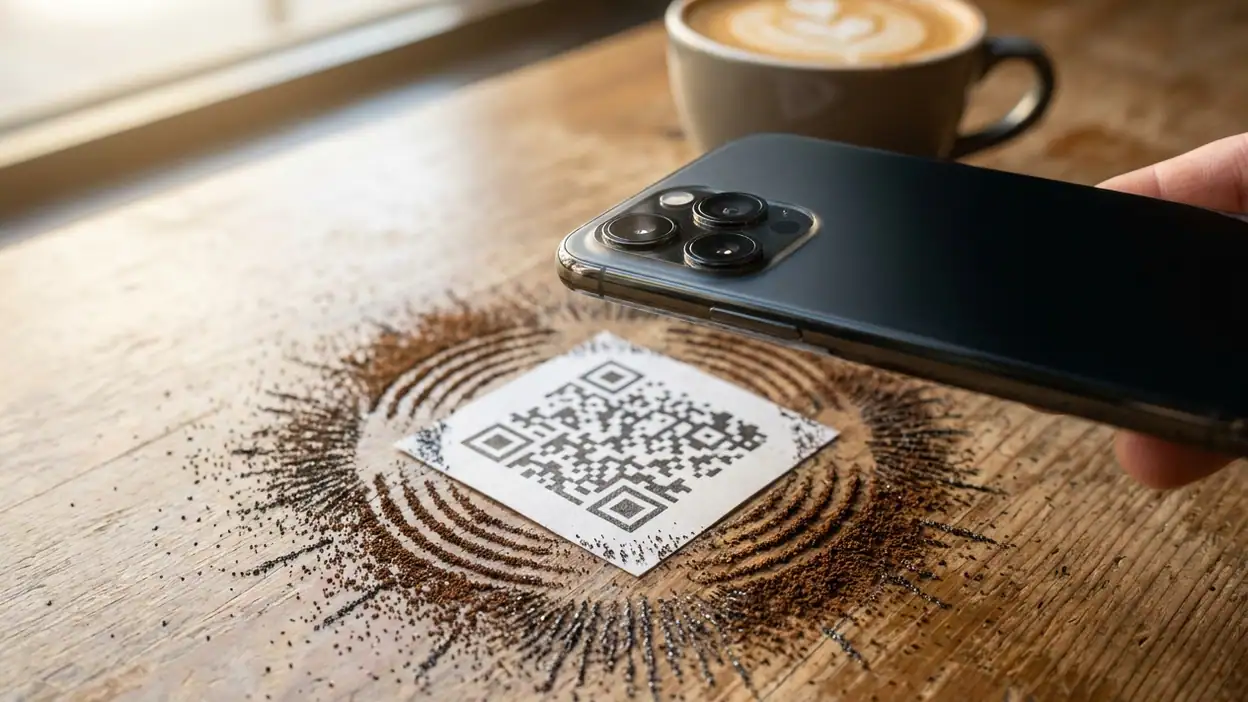
QR & Barcode Scanner Shows Why Trust Matters More Than Speed
 Analysis by Appyee
A QR scanner used to be the sort of app nobody reviewed. You pointed a phone at a square, waited for a link, and moved on. That assumption no longer holds. QR codes now sit on restaurant tables, delivery labels, event tickets, product packaging, payment counters, and suspicious-looking stickers placed over legitimate ones. The scan itself is easy. The harder job is deciding what deserves to happen next.
That is why QR & Barcode Scanner is more interesting as a category signal than as a novelty utility. Its value is not measured by how dramatically it frames a code or how many decorative features surround the camera. It is measured by whether it recognizes quickly, explains the result clearly, stays out of the way, and gives users enough control to avoid turning a simple scan into an accidental security problem. The category is moving from recognition toward judgment.
The scanner is becoming a trust layer
The current baseline is straightforward. A competent QR and barcode app should open quickly, request only sensible permissions, recognize common formats under imperfect lighting, and handle both QR codes and traditional product barcodes. It should work from the live camera, but it should also understand images already saved on the phone. A useful history, copy controls, and a clean way to revisit a result are no longer extravagant additions. They are basic signs that the app understands how people actually use scans.
That baseline sounds modest because the underlying task is modest. Yet small utilities expose poor design more sharply than large apps do. If a scanner needs a tutorial every time it opens, covers the viewfinder with advertising, or launches a link before the user has seen its destination, the friction is not incidental. It changes the risk profile of the entire category.
After testing QR & Barcode Scanner in the situations that matter, I found its strongest signal in its restraint. It treats scanning as a short interaction rather than a destination. The camera view is there to do one job. The result is presented as an actionable piece of information, not as an excuse to keep the user inside an overloaded interface. That makes the app feel closer to a well-made tool than to a feature bundle.
What users now expect before they even think about features
Speed remains important, but it is no longer the whole story. A scanner that recognizes a code in a fraction of a second still feels poor if it cannot distinguish a web address from plain text, a contact card, a Wi-Fi configuration, or a product identifier. Users expect the app to interpret the format and offer a sensible next action. A URL should be treated as a URL. A number should not be presented with theatrical certainty as though it were automatically safe or meaningful.
That distinction matters because scanning has become routine in public spaces. People are often standing in a queue, holding a menu, carrying groceries, or trying to board a train. They want a result that is immediate but legible. A good scanner does not make them decode a string of characters or hunt through menus to copy it. It also does not confuse convenience with permission to act without confirmation.
QR & Barcode Scanner follows this mature expectation well. Its core experience is direct: point, recognize, inspect, then choose. The app does not need to turn a scan into a performance. Its best moments are almost invisible, which is exactly what a utility should aim for. The camera becomes a temporary bridge between a physical object and a digital action, then gets out of the way.
The same principle applies to barcode scanning. Product codes are less glamorous than QR codes, but they are often more practical. A barcode can identify an item, support a shopping task, or provide a reference for later research. That use case demands clarity rather than visual flair. The scanner has to cope with glare, curved packaging, distance, and the awkward angles created by real shelves. The category is judged in those ordinary conditions, not in a perfectly lit demonstration.
The conventions the app gets right
Several conventions have become standard because users have learned to rely on them. The first is immediate camera access. People do not want to create an account before scanning a code, and they do not want to navigate through a dashboard that treats the scanner as one feature among many. QR & Barcode Scanner respects that expectation by keeping the central action close to the surface.
The second is support for the phone gallery. Codes arrive in screenshots, messages, emails, and photographs. A scanner limited to the live camera feels stuck in an older version of the category. Image-based scanning is especially useful for tickets and payment instructions, where opening a code on the same device can make the camera physically useless. Importing an image solves a small but common problem, and good utilities are built from those small solutions.
The third convention is history. A scan may produce a link that the user cannot open immediately, a product code they want to compare later, or a piece of text they need to copy into another app. A recent-results list turns a disposable action into a recoverable one. It also acknowledges that people scan while distracted. Forgetting to save a result should not mean losing it forever.
These features are not exciting in the marketing sense, but they are the foundation of trust. They show that the designer has watched users make mistakes, pause at inconvenient moments, and return to information after the original context has disappeared.
The convention it challenges: more scanning is not better scanning
The category still carries a strange habit from the era when every utility had to justify its place on a home screen: the belief that more functions automatically create more value. Some scanner apps add shopping promises, browser layers, contact tools, flashlight controls, promotional panels, or unrelated security claims until the original task becomes difficult to find. QR & Barcode Scanner pushes against that pattern by making the scan itself the product.
This is a meaningful challenge because a scanner has a narrow job with unusually high expectations. Users are not looking for a social feed or a loyalty ecosystem. They need accurate recognition and a safe handoff. Every extra screen introduces another chance to misread a result, tap an advertisement, or grant a permission that has nothing to do with scanning.
Its restraint is not perfect minimalism. There is still room for practical controls, and the app benefits from making results easy to copy, share, and revisit. But the hierarchy is sound: the camera comes first, the result comes second, and optional actions stay subordinate. That order feels increasingly important as QR codes become part of everyday infrastructure rather than a novelty printed on a poster.
The new premium feature is knowing when not to intervene. A scanner does not need to narrate every step or decorate every result. It needs to reduce uncertainty without adding its own.
What neighboring apps reveal about the shift
The wider mobile category makes this change easier to see. Move to iOS is not a scanner-first product, but its setup flow demonstrates how users respond to clear, contextual guidance. It tells people what is happening, why a permission matters, and what action follows. A QR scanner can learn from that discipline without copying the complexity. The lesson is that clarity beats cleverness when a tool sits between a physical instruction and a consequential digital action.
Security apps such as Avast Antivirus & Security and F-Secure Mobile Security expose another expectation: users increasingly want warnings before an action, not apologies afterward. A dedicated scanner should not pretend to be a complete antivirus product, but it should avoid treating every decoded link as harmless. Showing the destination, identifying the content type, and letting the user decide whether to open it are simple forms of risk reduction.
GuitarTuna: Tune & Play Guitar offers a useful contrast from a different kind of utility. Its success depends on immediate feedback and a clear relationship between input and correction. You play a note, the app listens, and the interface tells you whether to adjust. A scanner has a similar responsibility. It should make recognition visible and confidence understandable. If the code is partially obscured or the result is ambiguous, the app should not project false certainty.
CCleaner – Phone Cleaner points to the opposite danger. Maintenance apps often expand into broad promises about performance, storage, privacy, and optimization. That breadth can be useful, but it can also turn a simple task into an argument for constant intervention. QR scanners should resist that urge. The most credible product in this category is not the one that claims to manage every digital concern. It is the one that handles scanning honestly.
Together, these neighboring products show where mobile software is heading. Users want fast feedback, understandable permissions, visible control, and a clear boundary around what an app can claim. The scanner category is small, but it sits at the intersection of all four demands.
The emerging standard is informed handoff
The next standard for QR scanning is not simply better recognition. Camera frameworks already make recognition fast enough for most everyday situations. The emerging standard is an informed handoff: the app should tell users what they found and let them decide what to do with it.
That means a link should be previewed before it opens. A phone number should be identified as a phone number. A Wi-Fi code should explain that it contains network credentials. A text result should remain text rather than being pushed into an unrelated browser view. These distinctions sound obvious, yet they are exactly where many utilities still feel careless.
QR & Barcode Scanner is strongest when it keeps this sequence intact. Recognition is quick, but the result does not disappear into an unexplained action. The app gives the user a moment of inspection. That moment may last less than a second, but it restores agency to an interaction that otherwise feels automatic.
The same standard should extend to privacy. A scanner should explain whether scan history stays on the device, whether image processing requires an upload, and why camera or storage access is needed. Users may not read a long policy, but they notice when an app asks for more than its task requires. Minimal permissions are not just a privacy benefit; they are a credibility signal.
Where the category still lags
Even well-behaved scanners face problems that the category has not fully solved. The first is malicious code placement. A QR code can be legitimate while the sticker covering it is not. No scanner can determine intent from geometry alone, and a warning system that claims otherwise would be misleading. Still, apps can do more to expose the destination clearly and avoid encouraging blind taps.
The second problem is interpretation. A barcode may be technically valid but practically useless without a connected database. A QR code may contain a long block of text that the user cannot easily understand. Recognition is not the same as usefulness. The industry often celebrates successful decoding even when the resulting information is poorly presented or impossible to act on.
Accessibility also deserves more attention. A camera-based tool should work with large text, strong contrast, screen readers, and controls that remain usable one-handed. Scanning is often performed in poor lighting or while the user is moving. A polished interface cannot compensate for weak physical ergonomics. The best scanner should accommodate shaky hands, reflective packaging, and users who cannot rely on tiny visual cues.
There is also a transparency gap around advertising and data collection. Utilities are frequently treated as disposable, which makes them tempting places for aggressive monetization. But the more a scanner inserts banners, interstitials, or tracking into a security-adjacent task, the less users can tell whether a prompt belongs to the app or to the code they scanned. The category needs a clearer boundary between the result and the business model.
QR & Barcode Scanner does not solve every one of these structural problems, and it should not be credited with doing so. Its achievement is narrower and more useful: it demonstrates that a scanner can feel dependable without pretending to be an entire mobile security suite. That limitation is part of its honesty.
What this means for ordinary users
For most people, the consequence is simple. A QR scanner should reduce the number of decisions they have to make, but it should not make the important decision for them. The app should remove the mechanical work of focusing, decoding, and formatting the result. It should leave the user in control of opening a link, saving information, sharing it, or walking away.
That balance becomes especially valuable in places where QR codes carry financial or personal consequences. A restaurant menu is low risk. A payment request, account verification page, or parcel notification is not. Users need a tool that behaves consistently across both situations, without turning every scan into a frightening warning or every link into a frictionless launch.
The practical benefit of QR & Barcode Scanner is therefore less about scanning more codes than about making the category feel predictable. It opens quickly, recognizes the common cases, supports the situations where the code is already in an image, and keeps the result available long enough to inspect. Those details make the app useful in the unremarkable moments that fill a phone owner's day.
That predictability also creates stickiness. Nobody develops emotional loyalty to a scanner in the way they might with a game or a music app. The relationship is quieter. Users keep the tool because it has proven that it will not waste time, demand an account, or turn a basic request into a sales funnel. For a utility, that is a strong form of retention.
The category outlook
QR scanning will become less visible as it becomes more embedded. Operating systems will continue to offer camera-level recognition, retailers will place codes in more parts of the buying journey, and image search will make decoding feel like one small capability among many. That pressure will make standalone scanners justify their existence through judgment, privacy, history, and reliability rather than through the mere ability to recognize a square.
The strongest products will probably become quieter, not busier. They will handle more formats in the background, explain results more intelligently, and expose fewer controls until those controls are needed. They will also become more careful about the difference between decoding content and endorsing it. That is the central distinction the category has been missing.
QR & Barcode Scanner fits this direction because it understands that usefulness is not created by surrounding a simple task with noise. Its strongest contribution is a clear model of what a modern scanner should be: quick at recognition, restrained in presentation, practical after the scan, and cautious before the handoff. It is not a revolutionary app, and that is precisely the point.
The QR scanner category has grown up. The old question was whether an app could read a code. The better question now is whether it can help a person understand what that code means without getting in the way. Products that answer that question with speed, transparency, and restraint will define the next phase. The rest will remain stuck polishing the viewfinder.


